
Player & Target Conditions
Condition settings
All conditions are formated the same, you have:
{theCondition}{theCondition}Msg: The message to send if the condition is invalid{theCondition}Cancel: Whether or not the event should be cancelled if the condition is invalid{theCondition}Cmds: The command(s) to run if the condition is invalid- Example:
playerConditions:
    ifSneaking: true
    ifSneakingMsg: "&cMy custom error message here"
    ifSneakingCancel: true
    ifSneakingCmds:
    - kill %player%
For numerical conditions, you can assign 2 conditions at the same time.
Example:
"I want to create a condition that only activates if the value is greater than 50 but less than 250"
{theCondition}: 50 < CONDITION < 250
You want add player conditions ?
So in the activator part add playerConditions.
And obviously it's targetConditions for the condition of the target.
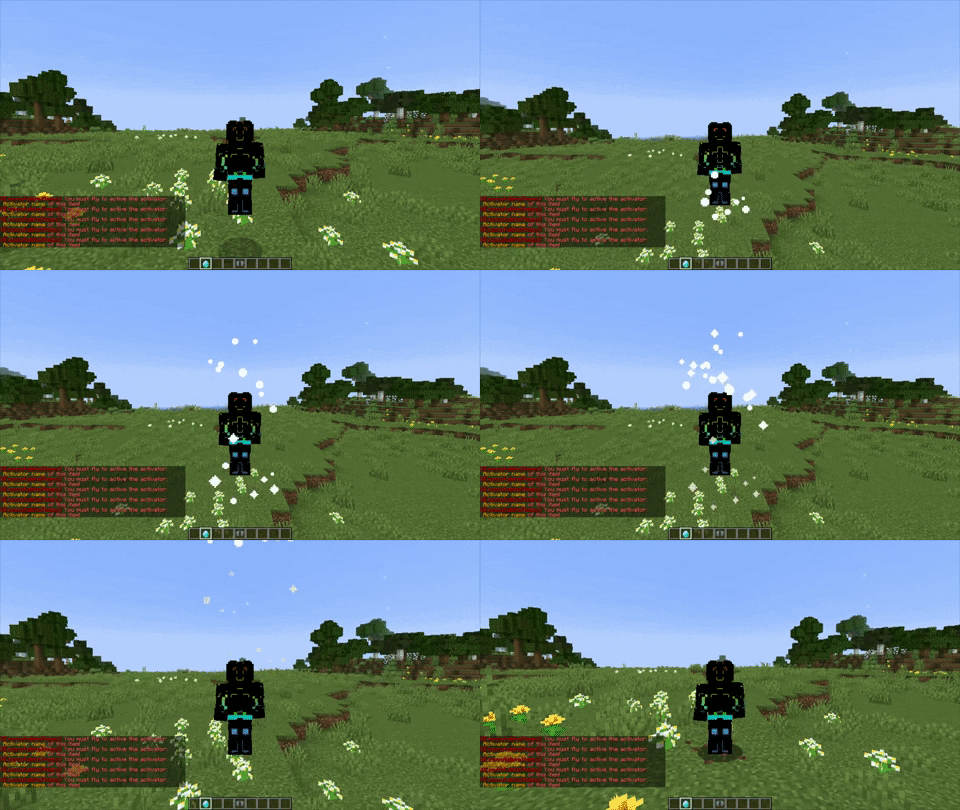
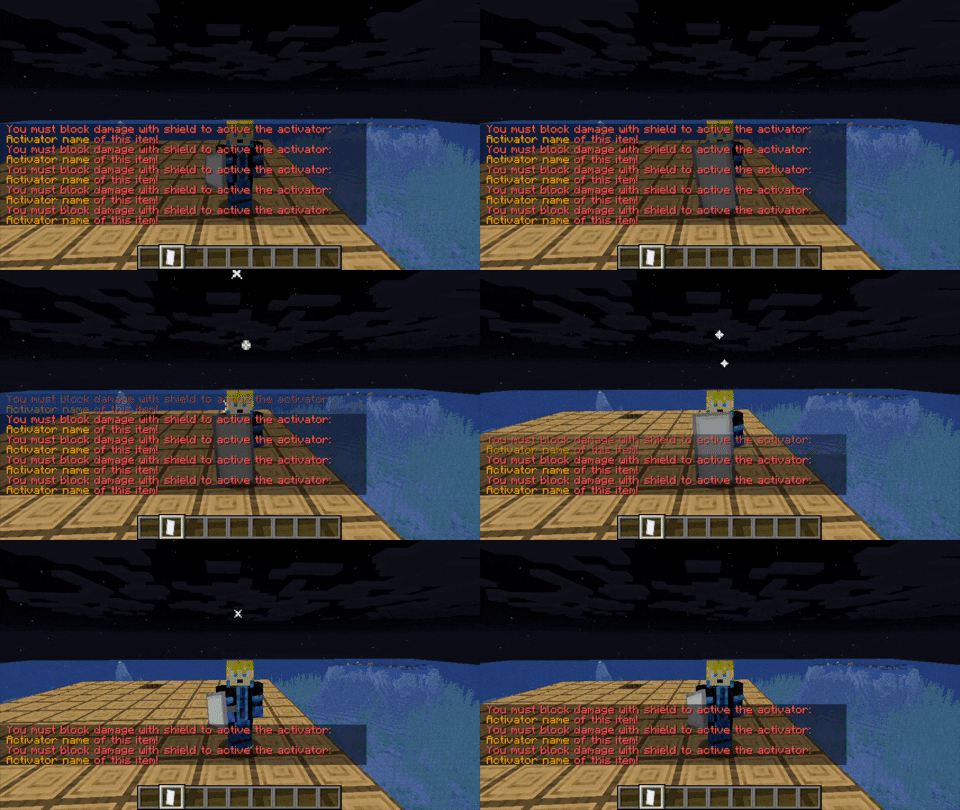
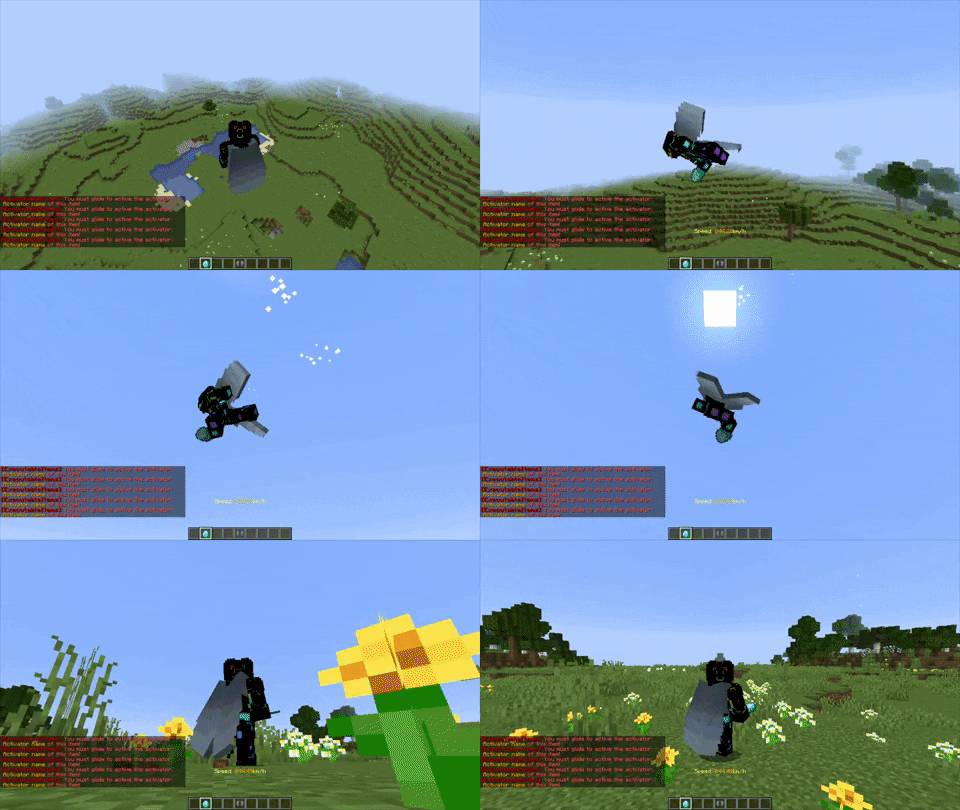
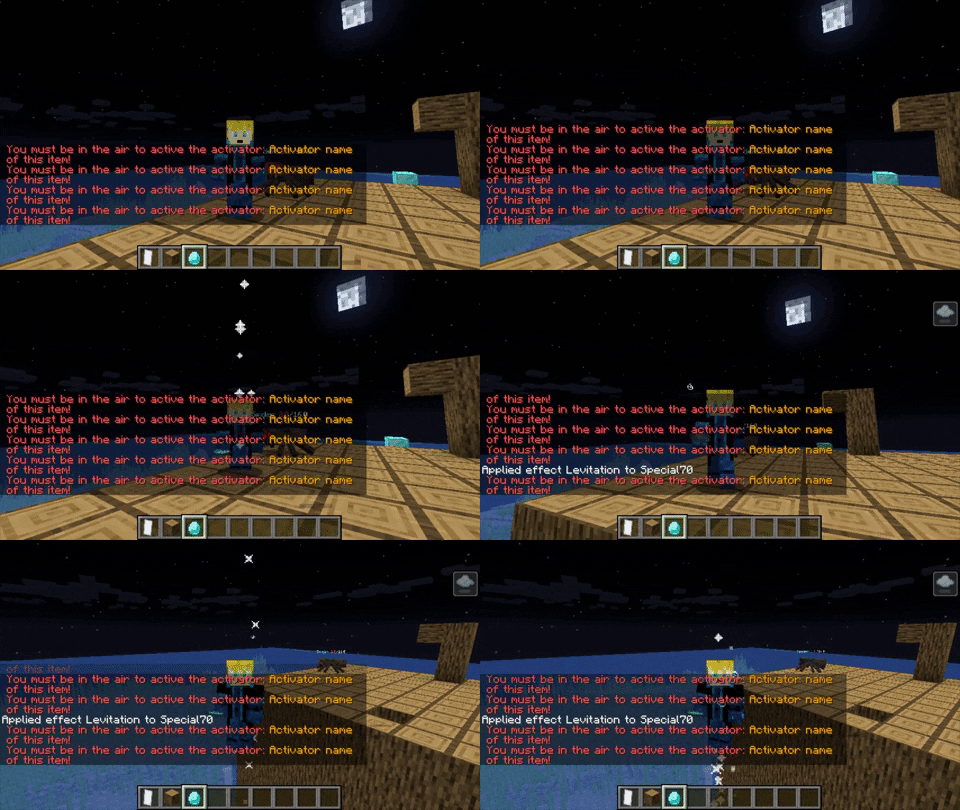
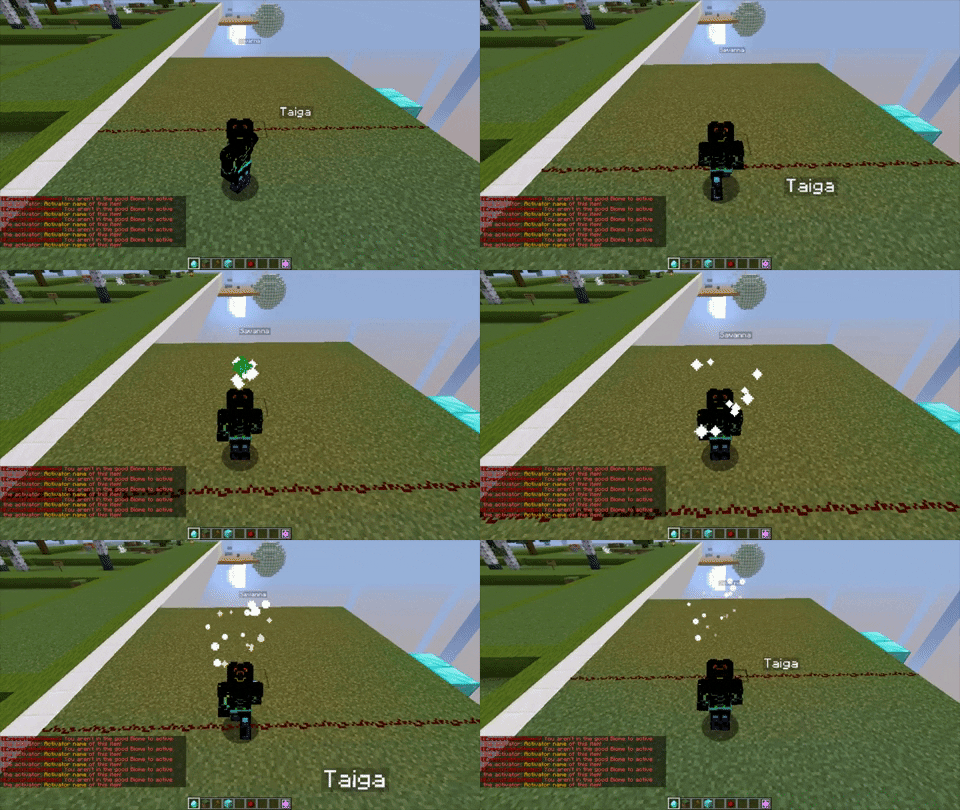
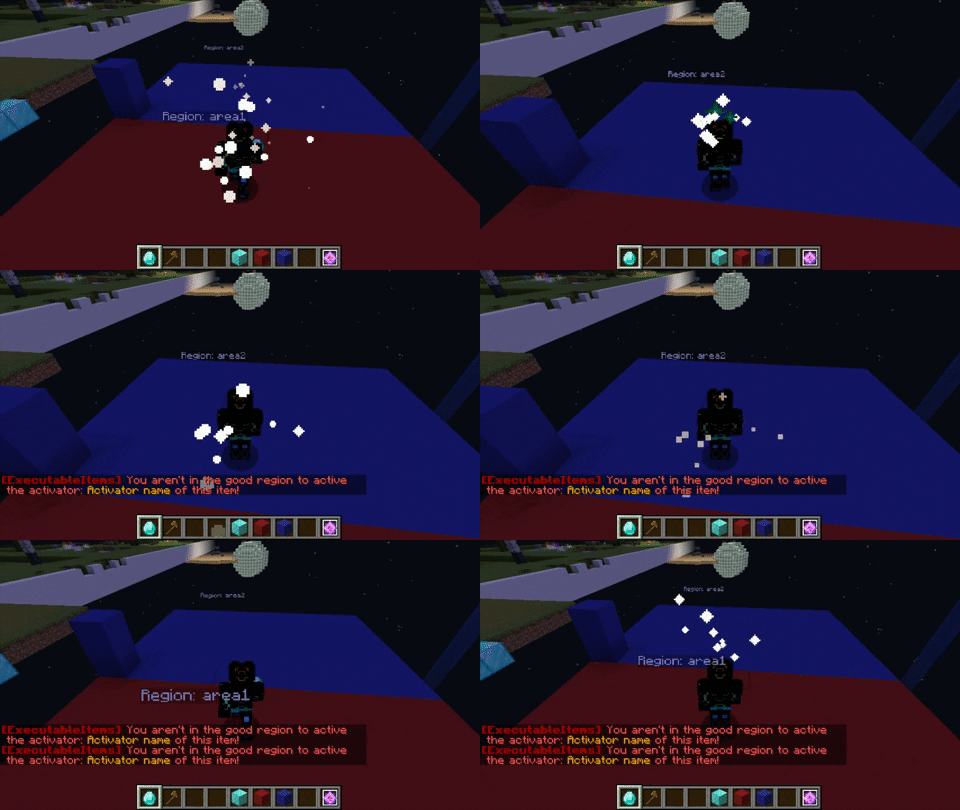
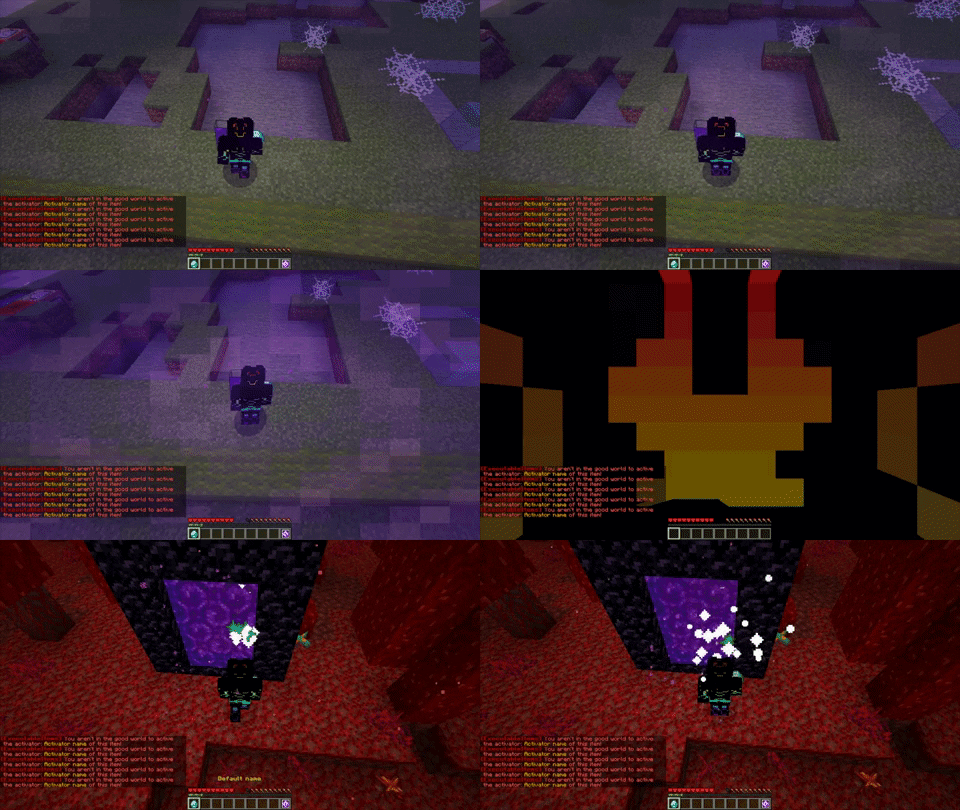
INFO GIFS: The activator used on the GIFS to demonstrate how each condition works is the LOOP activator, that why the error message of the condition appear mutiple times.
ifSneaking - Not
- Description: Checks if the player is sneaking
- Example:
playerConditions:
    ifSneaking: false
    ifSneakingMsg: '' #<- Here is where you will add the custom message.
    ifNotSneaking: true
    ifNotSneakingMsg: '' #<- Here is where you will add the custom message.
- Example Situations:
- If the player is (not) sneaking, the activator will activate.
- If the player is flying and descends by pressing the sneak button, the activator will activate. for ifSneaking
- Required: NO (Default: false)
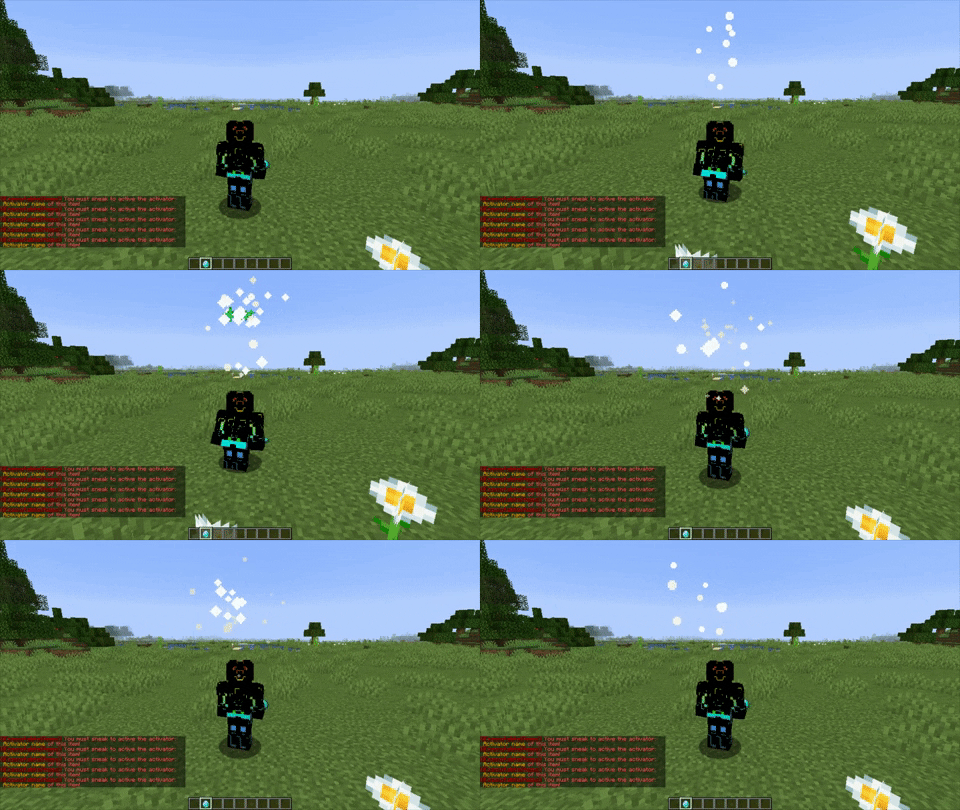
Do not enable ifNotSneaking if the condition ifSneaking is enabled as it does not make sense having both enabled
ifSprinting - Not
- Description: Checks if the player is sprinting
- Example:
playerConditions:
    ifSprinting: false
    ifSprintingMsg: '' #<- Here is where you will add the custom message.
    ifNotSprinting: false
    ifNotSprintingMsg: '' #<- Here is where you will add the custom message.
- Example Situations:
- If the player is (not) sprinting, the activator will activate.
- Required: NO (Default: false)
ifFlying - Not
- Description: Checks if the player is flying
- Example:
playerConditions:
    ifFlying: false
    ifFlyingMsg: '' #<- Here is where you will add the custom message.
    ifNotFlying: false
    ifNotFlyingMsg: '' #<- Here is where you will add the custom message.
- Example Situations:
- If the player toggles flight by double-clicking the jump button and (not) flies, the activator will activate.
- Required: NO (Default: false)
ifBlocking - Not
- Description: Checks if the player is holding a shield and right-clicking it (blocking)
- Example:
playerConditions:
    ifBlockng: false
    ifBlockingMsg: '' #<- Here is where you will add the custom message.
    ifNotBlockng: false
    ifNotBlockingMsg: '' #<- Here is where you will add the custom message.
- Example Situations:
- If the player is (not) blocking with a shield, the activator will activate
- Required: NO (Default: false)
ifGliding - Not
- Description: Checks if the player is gliding
- Example:
playerConditions:
    ifGliding: false
    ifGlidingMsg: '' #<- Here is where you will add the custom message.
    ifNotGliding: false
    ifNotGlidingMsg: '' #<- Here is where you will add the custom message.
- Example Situations:
- If the player (not) glides midair with an elytra, the activator will activate.
- Required: NO (Default: false)
ifSwimming - Not
- Description: Checks if the player is swimming (1.13 Aquatic Update)
- Example:
playerConditions:
    ifSwimming: false
    ifSwimmingMsg: '' #<- Here is where you will add the custom message.
    ifNotSwimming: false
    ifNotSwimmingMsg: '' #<- Here is where you will add the custom message.
- Example Situations:
- If the player jumps into the water and starts swimming in a freestyle position, the activator will activate.
- Required: NO (Default: false)
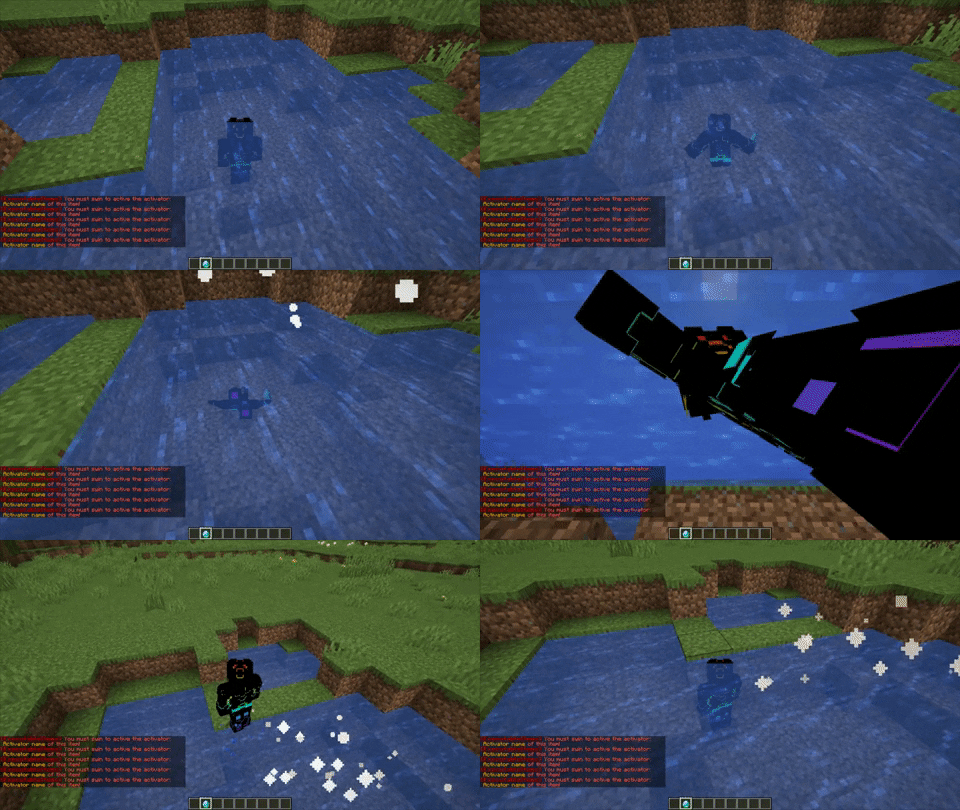
ifStunned - Not
- Description: Checks if the player is stunned
- Example:
playerConditions:
    ifStunned: false
    ifStunnedMsg: '' #<- Here is where you will add the custom message.
    ifNotStunned: false
    ifNotStunnedMsg: ''
You can stun a player by running the custom player command STUN_ENABLE
// Example of a stun of 5 seconds
- STUN_ENABLE
- DELAY 5
- STUN_DISABLE
- Required: NO (Default: false)
ifIsOnFire - Not
- Description: Checks if the player is on fire
- Example:
playerConditions:
    ifIsOnFire: false
    ifIsOnFireMsg: '' #<- Here is where you will add the custom message.
    ifIsNotOnFire: false
    ifIsNotOnFireMsg: '' #<- Here is where you will add the custom message.
- Example Situations:
- If the player is (not) on fire by falling in lava / walking on fire, the activator will activate
- Required: NO (Default: false)
ifIsInTheAir - Not
- Description: Checks if the player is in the air.
- Example:
playerConditions:
    ifIsInTheAir: false
    ifIsInTheAirMsg: '' #<- Here is where you will add the custom message.
    ifIsNotInTheAir: false
    ifIsNotInTheAirMsg: '' #<- Here is where you will add the custom message.
- Example Situations:
- If the player has (no) blocks under its feet, the activator will activate.
- Required: NO (Default: false)
ifLineOfSight
- Description: Checks if the player has line of sight to a living entity (within 50 blocks).
- Example:
playerConditions:
    ifLineOfSight: true
    ifLineOfSightMsg: ''
- Example Situations:
- If the player is looking directly at a mob or another player within 50 blocks, the activator will activate.
- Useful for creating items that only work when aiming at an entity.
- Required: NO (Default: false)
This condition requires server version 1.14+.
ifPlayerMustBeOnHisTown
- SUPPORTS THE FOLLOWING PLUGINS:
- Towny
- Description: Checks if the player is on his town.
- Example:
playerConditions:
    ifPlayerMustBeOnHisTown: true
    ifPlayerMustBeOnHisTownMsg: '' #<- Here is where you will add the custom message.
- Required: NO (Default: false)
ifPlayerMustBeOnHisClaim
- SUPPORTS THE FOLLOWING PLUGINS:
- GriefPrevention
- Lands
- GriefDefender
- Residence
- Description: Checks if the player is on a claim he/she has permission at.
- Example:
playerConditions:
    ifPlayerMustBeOnHisClaim: true
    ifPlayerMustBeOnHisClaimMsg: '' #<- Here is where you will add the custom message.
- Example Situations:
- If the player is on a claim he/she owns, the activator will activate.
- If the player is on a claim that he/she does not own but has permission, the activator will activate.
- Required: NO (Default: false)
ifPlayerMustBeOnHisClaimOrWilderness
- SUPPORTS THE FOLLOWING PLUGINS:
- GriefPrevention (It reurns valid if the player is in public claim of GriefPrevention)
- Lands
- GriefDefender
- Residence
- Description: Checks if the player is on a claim he/she has permission at or in wilderness.
- Example:
playerConditions:
    ifPlayerMustBeOnHisClaimOrWilderness: true
    ifPlayerMustBeOnHisClaimOrWildernessMsg: '' #<- Here is where you will add the custom message.
- Example Situations:
- If the player is on a claim he/she owns, the activator will activate.
- If the player is on a claim that he/she does not own but has permission, the activator will activate.
- if the player is on wilderness the activator will activate.
- Required: NO (Default: false)
ifPlayerMustBeOnHisIsland
- Description: Checks if the player is on his/her island.
- Plugins compatible:
- IridiumSkyblock
- SuperiorSkyblock2
- BentoBox
- Example:
playerConditions:
    ifPlayerMustBeOnHisIsland: true
    ifPlayerMustBeOnHisIslandMsg: '' #<- Here is where you will add the custom message
- Example Situations:
- If the player is on his island, the activator will activate.
- Required: NO (Default: false)
ifPlayerMustBeOnHisPlot
- SUPPORTS THE FOLLOWING PLUGINS:
- PlotSquared
- Description: Checks if the player is on a plot he/she has permission at.
- Example:
playerConditions:
    ifPlayerMustBeOnHisPlot: true
    ifPlayerMustBeOnHisPlotMsg: '' #<- Here is where you will add the custom message
- Required: NO (Default: false)
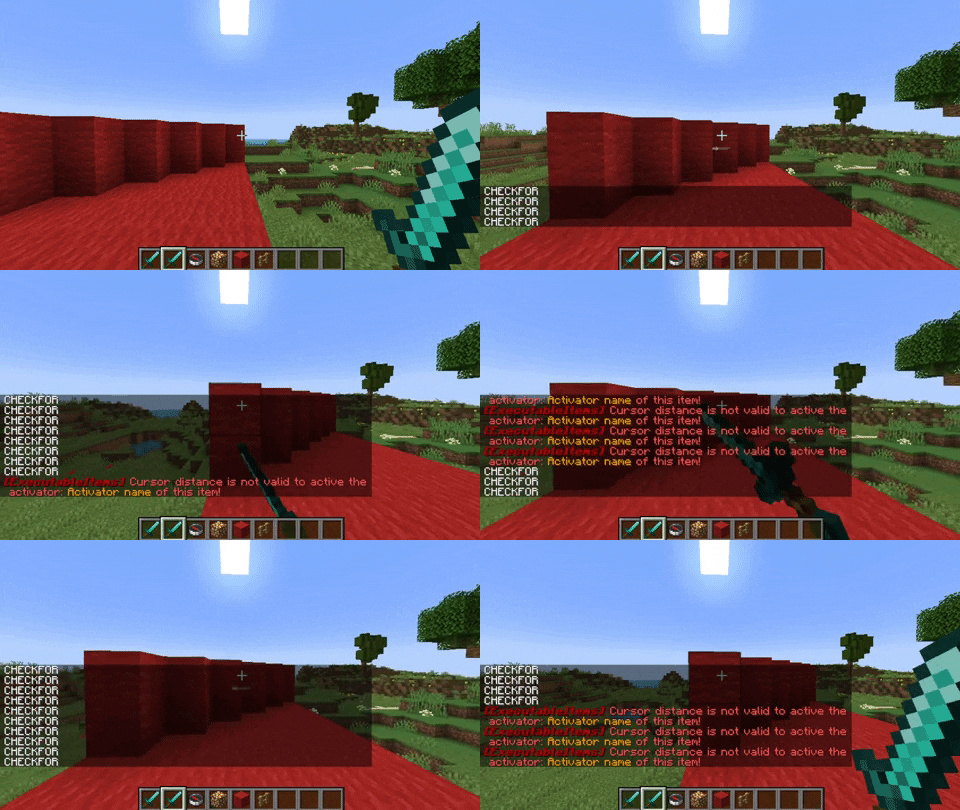
ifCursorDistance
- Description: Checks if the direction the player looking at is clear or blocked
- Example:
 playerConditions:
  ifCursorDistance: '>5'
  ifCursorDistanceMsg: '' #<- Here is where you will add the custom message.
- Example Situations:
- In
">5", as long as there is air beyond 5 blocks in front of you, the activator will activate - In
"<5", if there are air blocks 5 blocks ahead of you, the activator will not activate
- In
- Required: NO
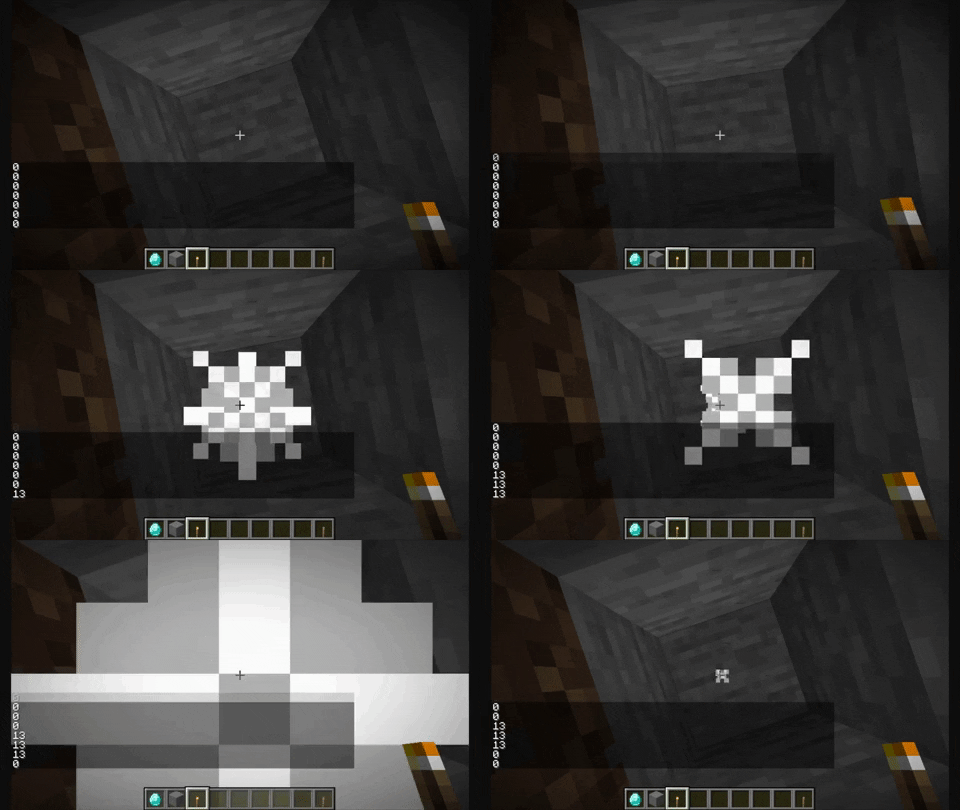
ifLightLevel
- Description: Checks if the player is on a place with the correct light level
- Example:
playerConditions:
  ifLightLevel: ==5
  ifLightLevelMsg: '' #<- Here is where you will add the custom message.
- Example Situations:
- If the value is
<5, the activator will only activate if the light level in the player's location is below 5 - If the value is
<=5, the activator will only activate if the light level in the player's location is 5 and below. - If the value is
==13, the activator will only activate if the light level in the player's location is 13. - If the value is
>5, the activator will only activate if the light level in the player's location is above 5. - If the value is
>=5, the activator will only activate if the light level in the player's location is 5 and above.
- If the value is
- Required: NO
- More Info: You can edit the error message by adding this in the file:
ifLightLevelMsg: "&4&lError you need...."or in ingame.
If the value is ==13, the activator will only activate if the light level in the player's location is 13.
ifPlayerExp
- Description: Checks if the player has the said amount of experience points.
- Example:
playerConditions:
    ifPlayerExp: <8
    ifPlayerExpMsg: '' #<- Here is where you will add the custom message.
- Example Situations:
- If the value is
<120, the activator will only activate if the player's experience points is below 120 - If the value is
<=96, the activator will only activate if the player's experience points is 96 and below. - If the value is
==13, the activator will only activate if the player's experience points is 13. - If the value is
>696, the activator will only activate if the player's experience points is above 696. - If the value is
>=45, the activator will only activate if the player's experience points is 45 and above.
- If the value is
- Required: NO
ifPlayerLevel
- Description: Checks if the player has the said amount of experience levels.
- Example:
playerConditions:
    ifPlayerLevel: <76
    ifPlayerLevelMsg: '' #<- Here is where you will add the custom message.
- Example Situations:
- If the value is
<700, the activator will only activate if the player's experience points is below 700 - If the value is
<=1296, the activator will only activate if the player's experience points is 1296 and below. - If the value is
==153, the activator will only activate if the player's experience points is 5. - If the value is
>420, the activator will only activate if the player's experience points is above 420. - If the value is
>=99, the activator will only activate if the player's experience points is 99 and above.
- If the value is
- Required: NO
ifPlayerFoodLevel
- Description: Checks if the player has the said amount of food
- Example:
playerConditions:
    ifPlayerFoodLevel: '>=12'
    ifPlayerFoodLevelMsg: '' #<- Here is where you will add the custom message.
- Example Situations:
- If the value is
<10, the activator will only activate if the player's food is below 10 - If the value is
<=10, the activator will only activate if the player's food is 10 and below. - If the value is
==10, the activator will only activate if the player's food is 10. - If the value is
>10, the activator will only activate if the player's food is above 10. - If the value is
>=10, the activator will only activate if the player's food is 10 and above.
- If the value is
- Required: NO
ifPlayerHealth
- Description: Checks if the player has the said amount of health
- Example:
playerConditions:
    ifPlayerHealth: ==20
    ifPlayerHealthMsg: '' #<- Here is where you will add the custom message.
- Example Situations:
- If the value is
<10, the activator will only activate if the player's health is below 10 - If the value is
<=10, the activator will only activate if the player's health is 10 and below. - If the value is
==10, the activator will only activate if the player's health is 20. - If the value is
>10, the activator will only activate if the player's health is above 10. - If the value is
>=10, the activator will only activate if the player's health is 10 and above.
- If the value is
- Required: NO
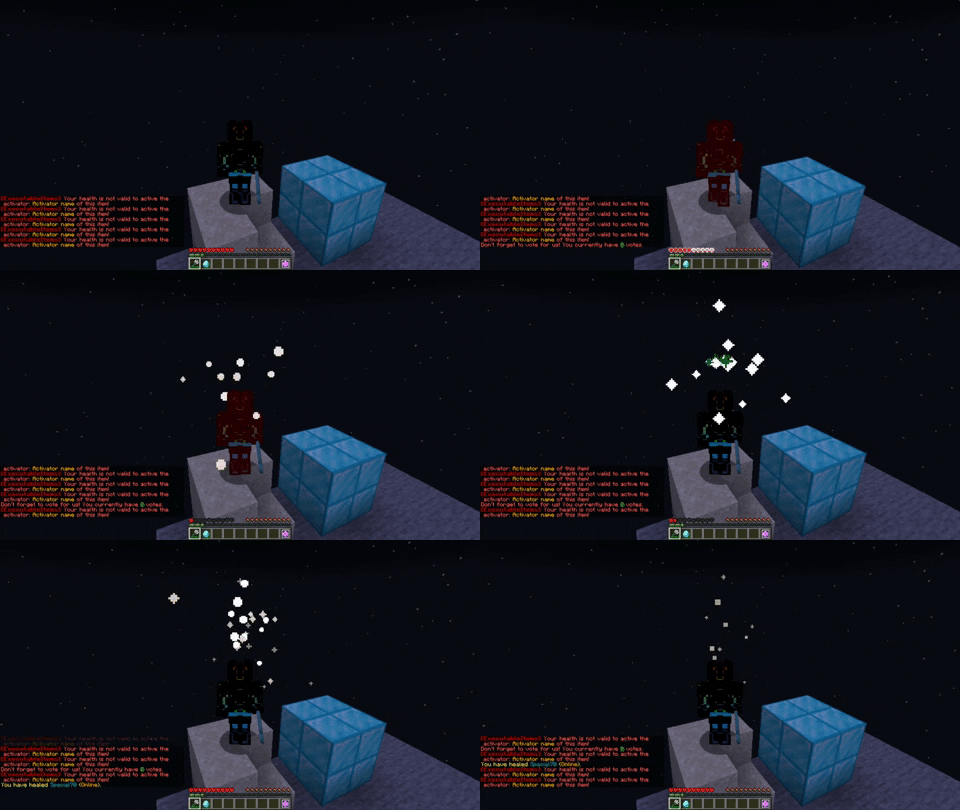
If the value is <=10, the activator will only activate if the player's health is 10 and below.
ifPlayerSpeed
- Description: Checks the player's velocity magnitude (movement speed).
- Example:
playerConditions:
    ifPlayerSpeed: '>=0.1'
    ifPlayerSpeedMsg: ''
- Example Situations:
- If the value is
>=0.1, the activator will only activate if the player is moving. - If the value is
>=0.3, the activator will only activate if the player is sprinting or moving fast. - If the value is
==0, the activator will only activate if the player is standing still.
- If the value is
- Required: NO
ifPosX
- Description: Checks if the player is in the said X level.
- Example:
playerConditions:
    ifPosX: <76
    ifPosXMsg: '' #<- Here is where you will add the custom message.
- Example Situations:
- If the value is
<700, the activator will only activate if the player's X-position value is below 700 - If the value is
<=1296, the activator will only activate if the player's X-position value is 1296 and below. - If the value is
==153, the activator will only activate if the player's X-position value is 5. - If the value is
>420, the activator will only activate if the player's X-position value is above 420. - If the value is
>=99, the activator will only activate if the player's X-position value is 99 and above.
- If the value is
- Required: NO
ifPosY
- Description: Checks if the player is in the said Y level.
- Example:
playerConditions:
    ifPosY: <76
    ifPosYMsg: '' #<- Here is where you will add the custom message.
- Example Situations:
- If the value is
<700, the activator will only activate if the player's Y-position value is below 700 - If the value is
<=1296, the activator will only activate if the player's Y-position value is 1296 and below. - If the value is
==153, the activator will only activate if the player's Y-position value is 5. - If the value is
>420, the activator will only activate if the player's Y-position value is above 420. - If the value is
>=99, the activator will only activate if the player's Y-position value is 99 and above.
- If the value is
- Required: NO
ifPosZ
- Description: Checks if the player is in the said Z level.
- Example:
playerConditions:
    ifPosZ: <76
    ifPosZMsg: '' #<- Here is where you will add the custom message.
- Example Situations:
- If the value is
<700, the activator will only activate if the player's Z-position value is below 700 - If the value is
<=1296, the activator will only activate if the player's Z-position value is 1296 and below. - If the value is
==153, the activator will only activate if the player's Z-position value is 5. - If the value is
>420, the activator will only activate if the player's Z-position value is above 420. - If the value is
>=99, the activator will only activate if the player's Z-position value is 99 and above.
- If the value is
- Required: NO
ifNearbyEntityCount
- Description: Checks the number of entities within a 10-block radius around the player.
- Example:
playerConditions:
    ifNearbyEntityCount: '>=3'
    ifNearbyEntityCountMsg: ''
- Example Situations:
- If the value is
>=3, the activator will only activate if there are at least 3 entities near the player. - If the value is
==0, the activator will only activate if the player is alone with no entities nearby. - Counts all entity types (mobs, players, dropped items, etc.).
- If the value is
- Required: NO
ifNearbyPlayerCount
- Description: Checks the number of players within a 10-block radius around the player.
- Example:
playerConditions:
    ifNearbyPlayerCount: '>=1'
    ifNearbyPlayerCountMsg: ''
- Example Situations:
- If the value is
>=1, the activator will only activate if there is at least 1 other player nearby. - If the value is
==0, the activator will only activate if no other players are within 10 blocks. - Unlike ifNearbyEntityCount, this only counts players, not mobs or other entities.
- If the value is
- Required: NO
ifHasPermission - Not
- Description: Checks if the player has (not) the said permission.
- Example:
playerConditions:
    ifHasPermission:
    - test.ei
    ifHasPermissionMsg: '' #<- Here is where you will add the custom message.
    ifNotHasPermission:
    - test.ei
    ifNotHasPermissionMsg: '' #<- Here is where you will add the custom message.
- Example Situations:
- If the player has the permission
custom.jump.yes, the activator will activate. If the player does not have that permission, it will not activate. - The actual condition is not used in this gif to properly display the behavior of the condition. When you actually use this condition, a specific error relays on you
- If the player has the permission
- Required: NO
To test it, it'es better to not be OP because if you are OP, you have all permissions
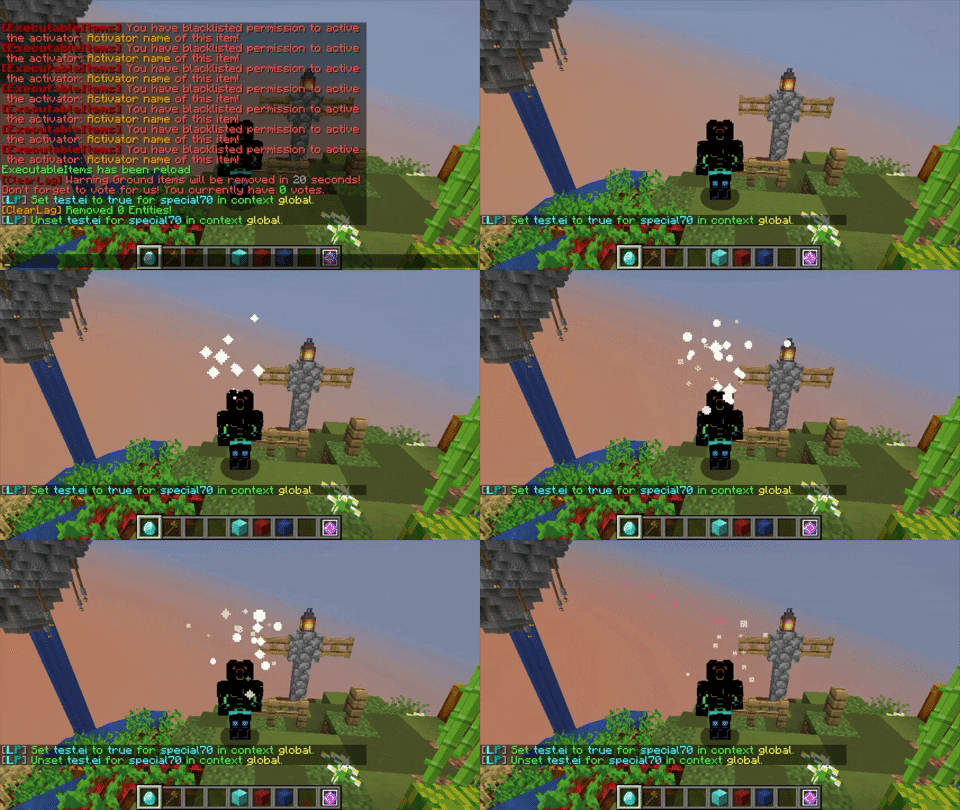
ifHasTag - Not
- Description: Checks if the player has the selected tag.
- Example:
    playerConditions:
      ifHasTag:
      - thisisthenameofmytag
      ifHasTagMsg: ''
      ifNotHasTag:
      - thisisthenameofmytag
      ifNotHasTagMsg: ''
ifTargetBlock - Not
- Description: Checks if the player is (not) selecting the said block.
- Example:
playerConditions:
    ifTargetBlock:
    - SAND
    ifTargetBlockMsg: '' #<- Here is where you will add the custom message.
    ifNotTargetBlock:
    - DIRT
    ifNotTargetBlockMsg: '' #<- Here is where you will add the custom message.
- Example Situations:
- If the player is hovering his/her cursour into sand, the activator will activate.
- Required: NO
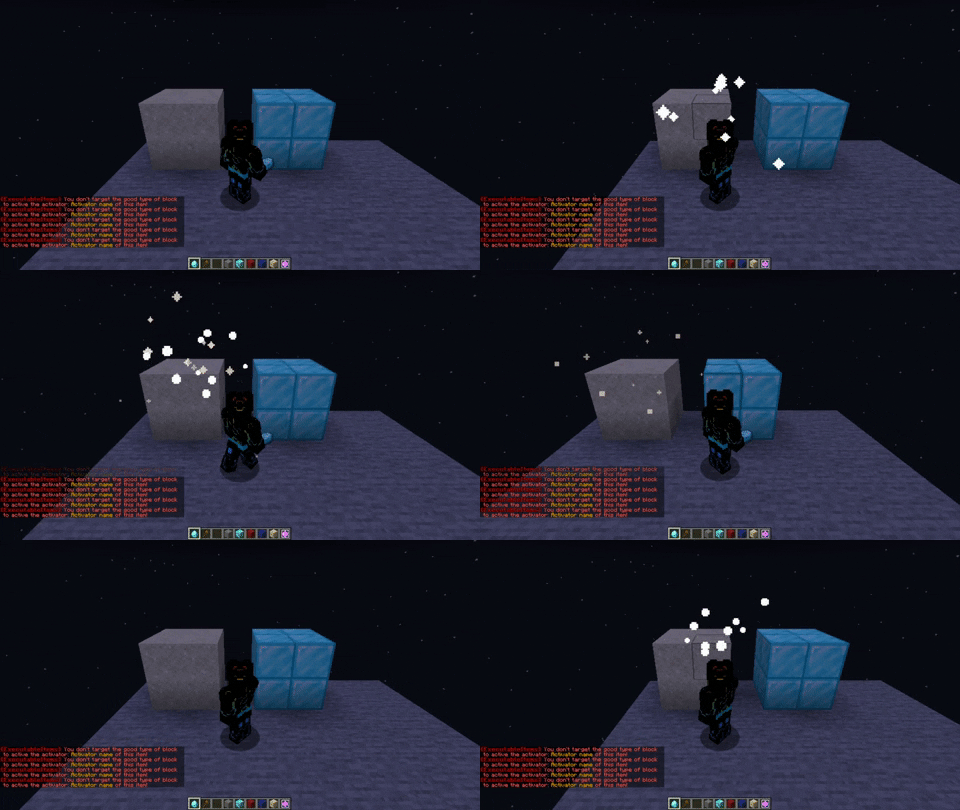
ifIsInTheBlock - Not
- Description: Checks if the player is (not) in a block.
- Example:
playerConditions:
    ifIsInTheBlock:
     material0:
       material: COBWEB
    ifIsInTheBlockMsg: '' #<- Here is where you will add the custom message.
    ifIsNotInTheBlock:
     material0:
       material: WATER
       tags: '{level:0}'
    ifIsNotInTheBlockMsg: '' #<- Here is where you will add the custom message.
- Example Situations:
- If the player is in a COBWEB (head or feets), the activator will activate.
- As long as the player is not more than 1 block higher from the block the player is in, the activator will activate
- Required: NO (Default: false)
For tags specifications, refer to this list:
https://minecraft.fandom.com/wiki/Block_states
ifIsOnTheBlock - Not
- Description: Checks if the player is (not) standing on a block.
- Example:
playerConditions:
    ifIsOnTheBlock:
        blocks:
        - EXECUTABLEBLOCKS:FREE_HUT
        - DIAMOND_BLOCK
- Example Situations:
- If the player has stone under its feet, the activator will activate.
- As long as the player is not more than 1 block higher from the block the player is standing at, the activator will activate
- Required: NO (Default: false)
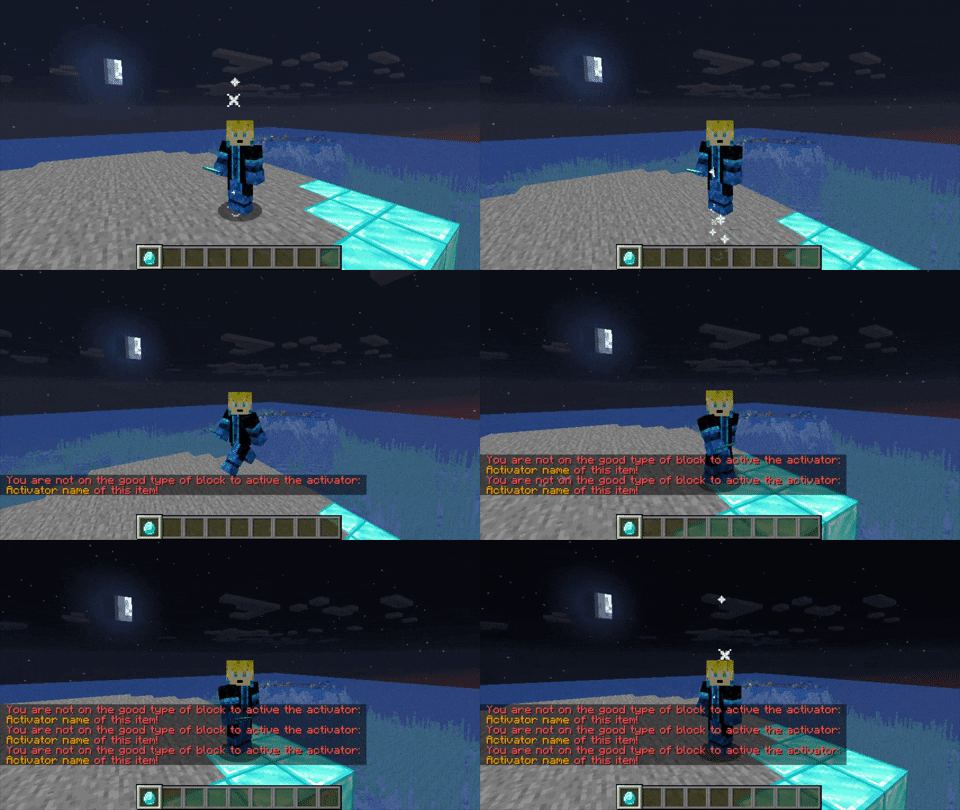
You can add a group of blocks, these are the groups:
    ALL_CHESTS,
    ALL_FURNACES,
    ALL_PLANKS,
    ALL_LOGS,
    ALL_WOODS,
    ALL_ORES,
    ALL_WOOLS,
    ALL_SLABS,
    ALL_STAIRS,
    ALL_FENCES,
    ALL_SAPLINGS,
    ALL_CROPS,
    ALL_DOORS,
    ALL_TRAPDOORS,
    ALL_BEDS,
    ALL_TERRACOTTA,
    ALL_NORMAL_TERRACOTTA,
    ALL_GLAZED_TERRACOTTA,
    ALL_CONCRETE,
    ALL_GLASS,
    ALL_STAINED_GLASS,
    ALL_SHULKER_BOXES;
For tags specifications, refer to this list:
https://minecraft.fandom.com/wiki/Block_states
It supports IA and EB blocks
ifPlayerMounts - Not
- Description: Check if the player is (not) mounting the "entity(es) selected"
- Example:
playerConditions:
    ifPlayerMounts:
    - COW
    - SILVERFISH
    - FOX
    ifPlayerMountsMsg: '&4&l&o[ExecutableItems] &cYou must mount on a specific entity to active the activator: &6%activator% &cof this item!'

    ifPlayerNotMounts:
    - PIG
    ifPlayerNotMountsMsg: '&4&l&o[ExecutableItems] &cdont mount pigs'
ifInBiome - Not
- Description: Checks if the player is (not) in the said biome.
- Example:
playerConditions:
    ifInBiome:
    - TAIGA
    - EXTREME_HILLS
    ifInBiomeMsg: '' #<- Here is where you will add the custom message.

    ifNotInBiome:
    - EXTREME_HILLS
    ifNotInBiomeMsg: '' #<- Here is where you will add the custom message.
-
Example Situations:
- If the player is in the Birch Forest Biome and the Birch Forest Biome is listed in the list of worlds in the
ifInBiome:condition, the activator will acitvate.
- If the player is in the Birch Forest Biome and the Birch Forest Biome is listed in the list of worlds in the
- Required: NO
ifInRegion - Not
- Description: Checks if the player is (not) in the said region (WorldGuard Region).
- Example:
playerConditions:
    ifInRegion:
    - area1
    ifInRegionMsg: '' #<- Here is where you will add the custom message.

    ifNotInRegion:
    - mySpawnRegion
    ifNotInRegionMsg: '' #<- Here is where you will add the custom message.
- Example Situations:
- If the player is in the "area1" region and the "area1" region is listed in the list of worlds in the
ifInRegion:condition, the activator will activate.
- If the player is in the "area1" region and the "area1" region is listed in the list of worlds in the
- Required: NO
ifInWorld - Not
- Description: Checks if the player is (not) in the said world.
- Example:
playerConditions:
    ifInWorld:
    - world_nether
    ifInWorldMsg: '' #<- Here is where you will add the custom message.

    ifNotInWorld:
    - world_the_end
    ifNotInWorldMsg: '' #<- Here is where you will add the custom message.
- Example Situations:
- If the player is in the nether and the nether is listed in the list of worlds in the
ifInWorld:condition, the activator activates.
- If the player is in the nether and the nether is listed in the list of worlds in the
- Required: NO
ifPlayerHasEffect
- Description: Checks if the player has the effect(s).
- Example:
playerConditions:
    ifPlayerHasEffect:
    - "SPEED:0"        <- (Format: "EFFECT:MINIMAL_REQUIRED_AMPLIFIER")
    ifPlayerHasEffectMsg: '' #<- Here is where you will add the custom message.
- Example Situations:
- If the player has speed with at least an amplifier of 0, the activator will activate
- List of all effects: PotionEffectType
- Required: NO
ifPlayerNotHasEffect
- Description: Checks if the player doesn't have the effect(s).
- Example:
playerConditions:
    ifPlayerNotHasEffect:
    - SPEED:2 # if the player has speed 1 = okay, but if has speed 2 or above, invalid
    ifPlayerNotHasEffectMsg: '&4&l&o[ExecutableItems] &cYou have an effect that you shouldn''t have to active the activator: &6%activator% &cof this item!'
    ifPlayerNotHasEffectCE: false
ifCanBreakTargetedBlock
- Description: Checks if the player can break the targeted block
- Example:
playerConditions:
    ifCanBreakTargetedBlock: true
Support GriefPrevention, IridiumSkyblock, SuperiorSkyblock, BentoBox, Lands, Worldguard, Towny, ProtectionStones; Residence
ifPlayerHasEffectEquals
- Description: Checks if the player has the effect(s). MUST HAVE THE EXACT AMPLIFIER
- Example:
playerConditions:
    ifPlayerHasEffectEquals:
    - "SPEED:1"        #<- (Format: "EFFECT:REQUIRED_AMPLIFIER")
    ifPlayerHasEffectEqualsMsg: '' #<- Here is where you will add the custom message.
- Example Situations:
- If the player has speed with an amplifier of 1, the activator will activate
- List of all effects: PotionEffectType
- Required: NO
ifPlayerHasExecutableItems - Not
- Description: Checks if the player has (not) the said ExecutableItems.
- Example:
playerConditions:
      ifHasExecutableItems:
        condition1:
          multi-choices:
            '1':
              executableItem: test1
              amount: 1
              detailedSlots:
              - 38
            '2':
              executableItem: test2
              amount: 1
              detailedSlots:
              - 38
            '3':
              executableItem: test3
              amount: 1
              detailedSlots:
              - 38
        condition2:
          executableItem: ddx
          amount: 1
          detailedSlots:
          - 40
      ifHasExecutableItemsMsg: war
      ifHasNotExecutableItems:
        hasExecutableItem0:
          executableItem: Leto2025_Srdcova10
          amount: 1
          detailedSlots: []
      ifHasNotExecutableItemsMsg: famine
- The example above works like this.
- You must have an ei item with the id either "test1", "test2" or "test3" on slot 38, the activator runs
- You must have an ei item with the id "ddx" on slot 40
- Required: NO

Copy correctly the index of the example, some people have asked support, all of them didn't copy correctly the format.
ifPlayerHasItem - Not
- Description: Checks if the player has specific items
- Example:
playerConditions:
    ifHasItems:
        condition1:
          multi-choices:
            '1':
              material: DIAMOND_HELMET
              amount: 1
              detailedSlots:
              - 39
            '2':
              material: IRON_HELMET
              amount: 1
              detailedSlots:
              - 39
        condition2:
          material: DIAMOND_CHESTPLATE
          amount: 1
          detailedSlots:
          - 38
    ifHasItemMsg: '' #<- Here is where you will add the custom message.

    ifHasNotItems:
        hasItem0:
          material: STONE
          amount: 32
          detailedSlots:
          - -1 #<- -1 means main hand
    ifHasNotItemMsg: '&cYou should not have more than 32 stones in your main hand !'
- Example Situations:
- If the diamond helmet is at the slot 39, the activator will activate
- Required: NO